Connected workflows
Tools appear where the work happens
GrowPathAI is a grow journal with connected planning, plant-care and workspace tools. Open the Tools library, or launch tools from the grow, plant, log or task you are working on.
See the notes behind each timeline point
A starting photo, an observation, a change and a follow-up, together in one journal. Open the sample and select a point to read its entry.
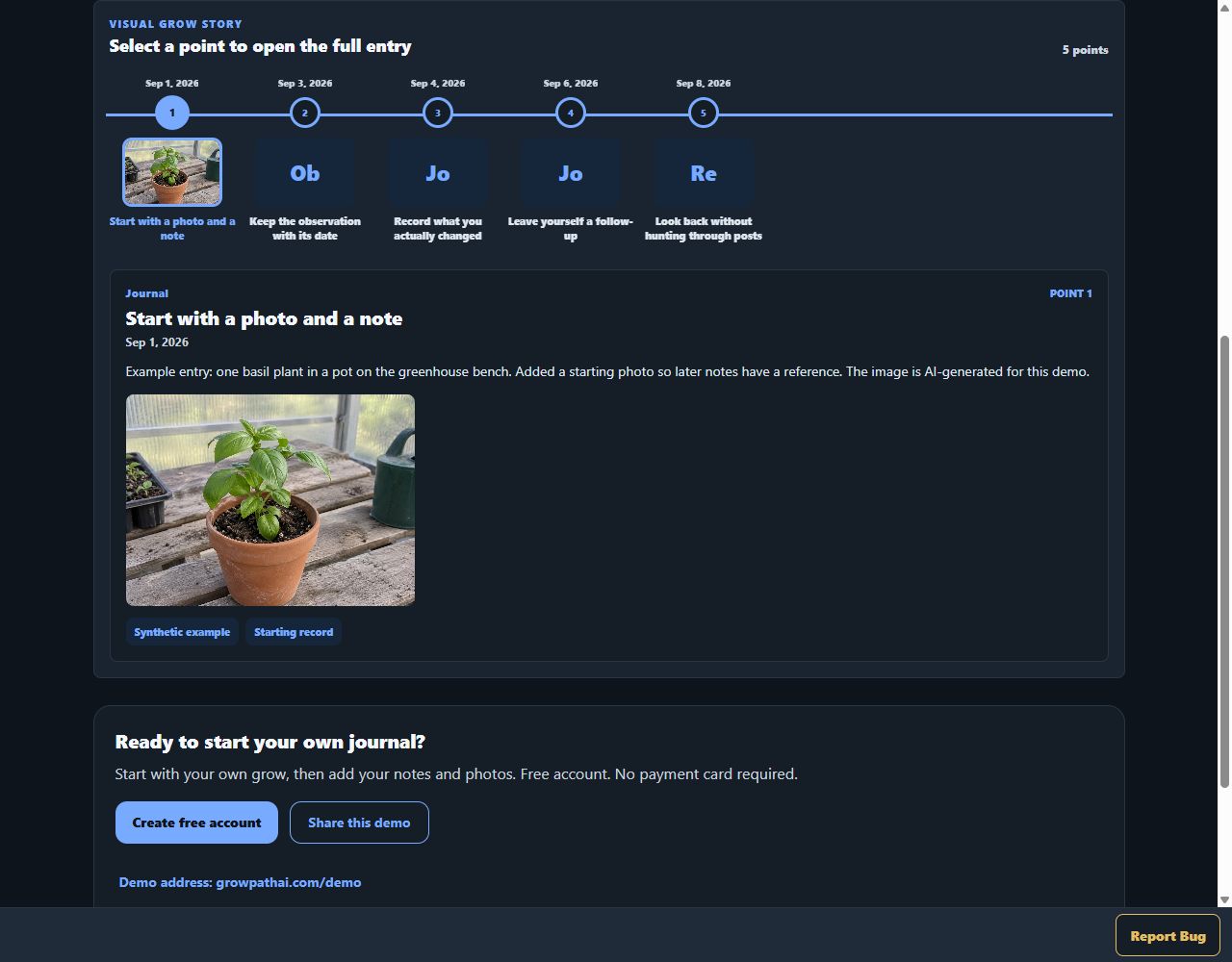
Actual GrowPathAI interface, shown with synthetic demo data. Not a customer grow or a claimed result.
Try the sample journal — no signupStart with what you actually observed
Plant Diagnose asks for crop identity, symptom location, progression and measurements before you run a review. Missing context stays unknown instead of becoming a guessed reading.
Actual staging interface, captured October 5, 2026. The basil notes are a synthetic, unsent example. No AI analysis was run; this is the input screen, not a diagnosis result or treatment recommendation.
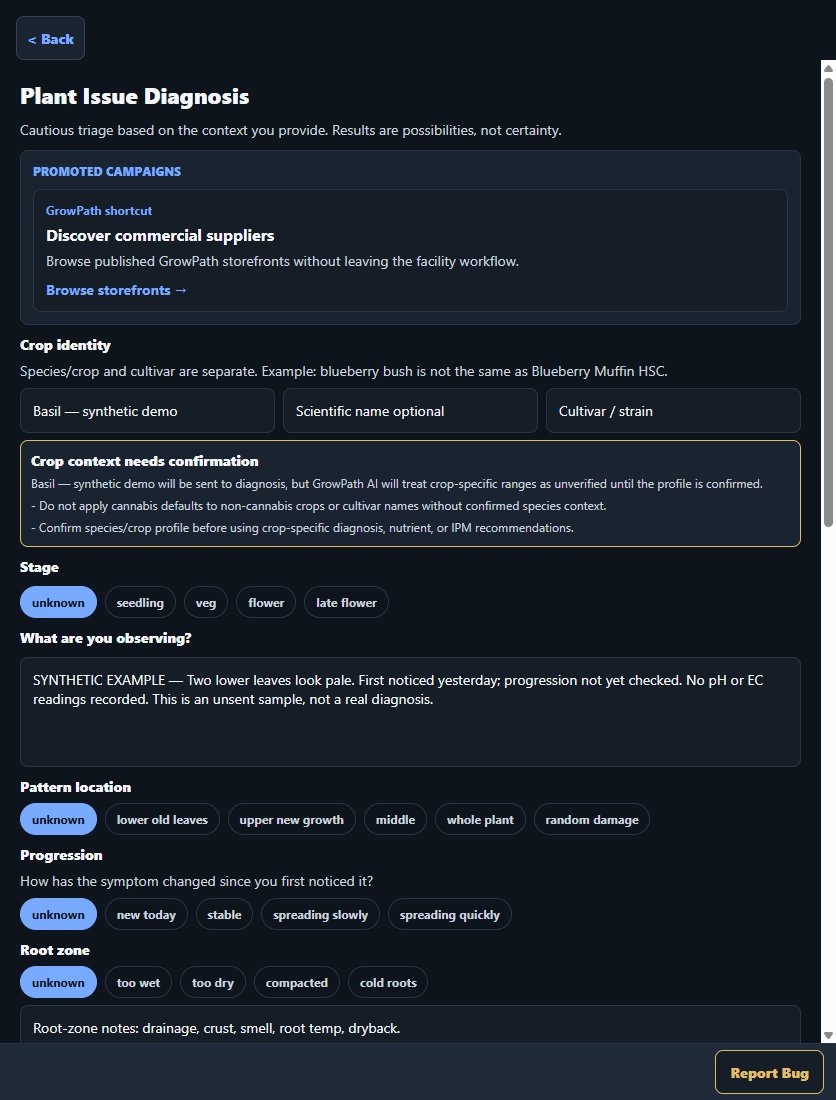 Open full-size diagnosis form screenshot
See the work across your Facility
The Facility dashboard brings rooms, grows, plant records, open tasks and procedures into one overview, with links to the underlying work. Team members see the tools their role permits.
Actual staging interface, captured October 5, 2026, using synthetic QA records. Counts are test data, not customer usage or performance. Clear and No pending checks describe that test workspace's recorded checks, not legal compliance or certification.
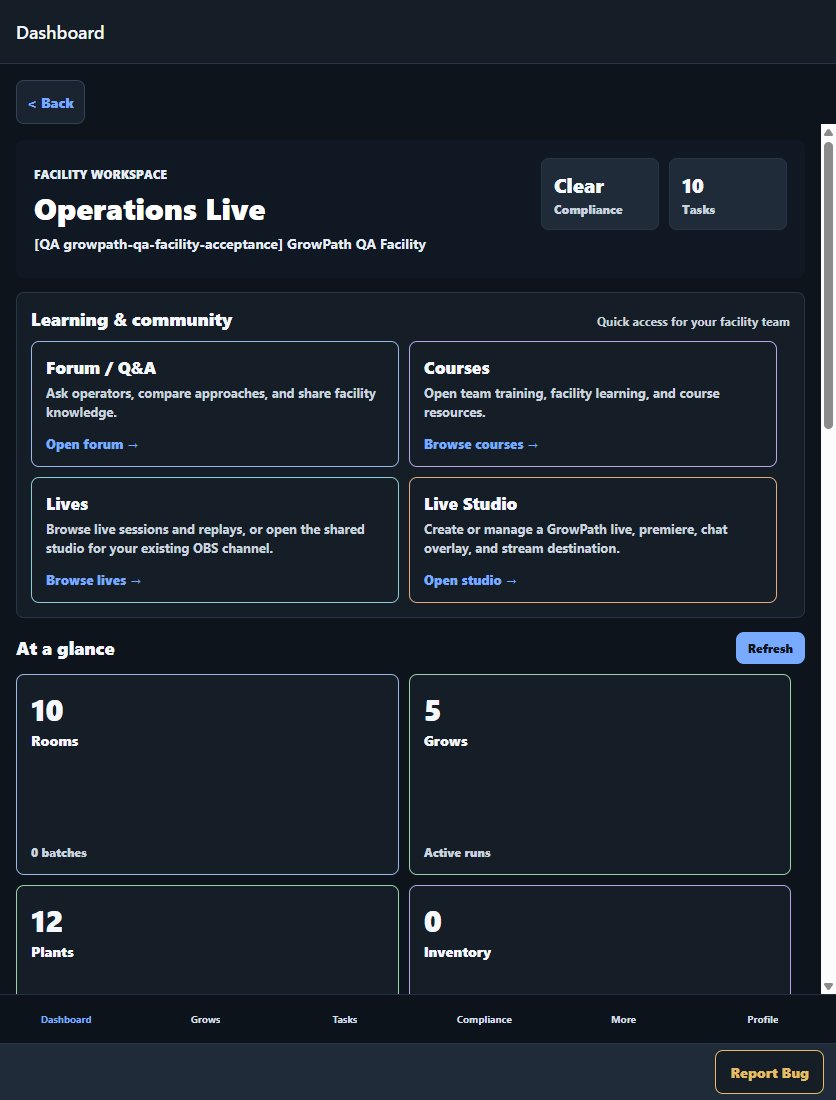 Open full-size Facility dashboard screenshot
Plan and schedule
Start-a-grow planning, grow calendars, watering, feeding, timelines, and recurring tasks create real work items.
Observe and diagnose
Journal entries, photos, environmental history, plant diagnosis, IPM review, and harvest-readiness results stay connected to the grow timeline.
Explore publicly shared plant findingsLearn and share
Courses, live sessions, forums, feeds, and public creator pages connect education with documented grow workflows.
Browse Forum groups by crop and workflow